Repair orders
Repair Order Software: What Independent Shops Actually Need
Repair order software should make the state of the shop easier to understand, not just digitize a paper form.
- Guide topic
- repair order software independent shops
- Updated
- May 26, 2026
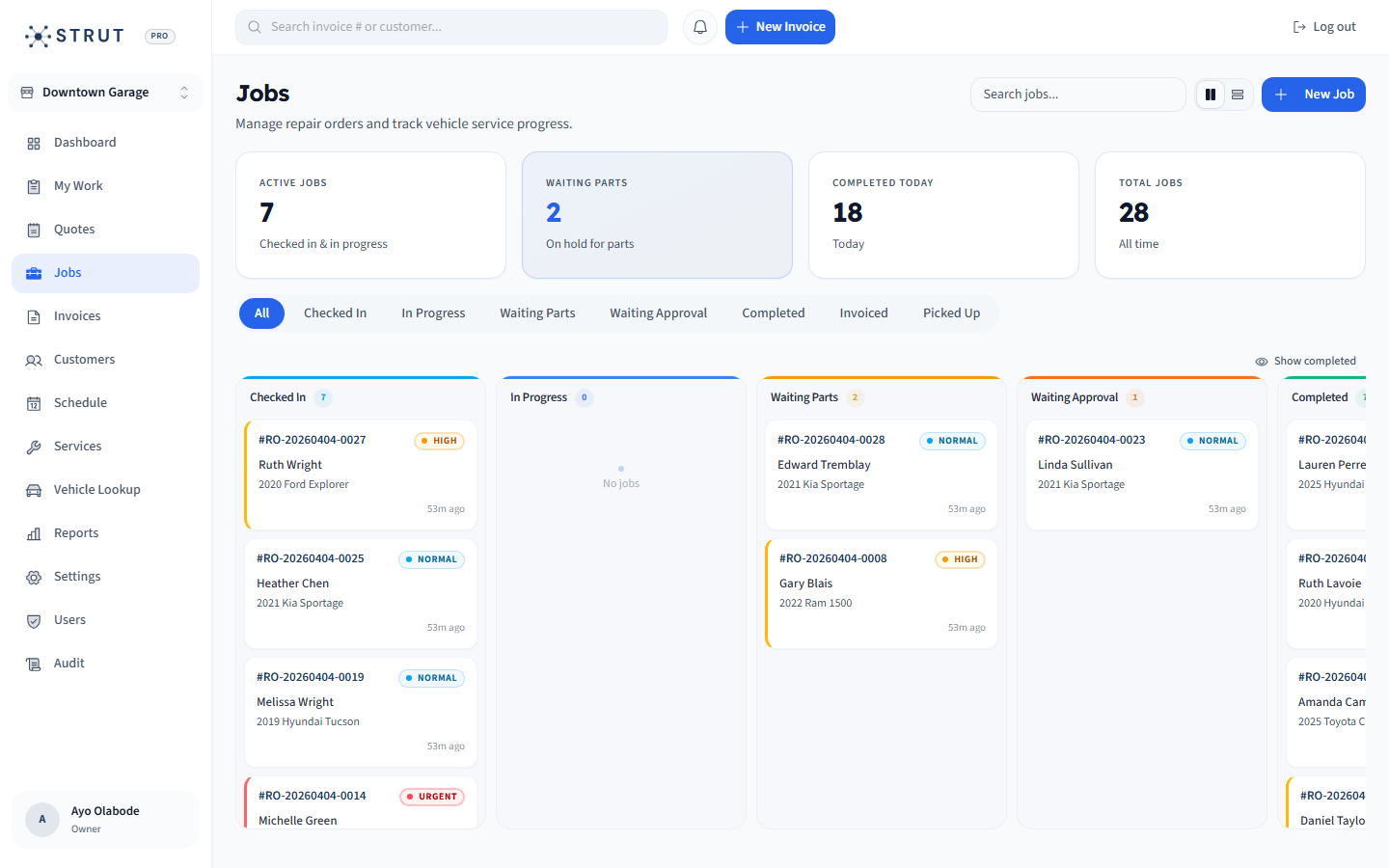
Repair order lifecycle board
The board should answer the front desk's next question before the phone rings.
Start
Checked in
Bay
Diagnosing
Hold
Waiting
01 / Visibility
A repair order is a live operating record
Paper repair orders and static PDFs can record work, but they do not show the team what changed five minutes ago. Independent shops need a live board that makes assignment, status, priority, and blockers obvious.
- Use statuses the whole team understands.
- Separate waiting-on-parts from waiting-on-customer approval.
- Attach notes to the job instead of leaving them in messages.
Status taxonomy
New
QueueAppointment or walk-in is ready for intake.
In progress
BayA technician is actively diagnosing or repairing.
Blocked
RiskNeeds approval, parts, sublet, or customer response.
Ready to invoice
CloseWork is complete and billing details are ready.
02 / Handoffs
The advisor-to-technician handoff should be explicit
Most repair order problems are handoff problems. The advisor knows the customer expectation, the technician sees the vehicle, and the owner needs the job to move. Software should reduce interpretation gaps between those people.
- Capture complaint, cause, correction, and internal notes clearly.
- Show urgent jobs without making every job urgent.
- Keep parts holds and customer approvals out of memory.
Handoff checklist
Customer concern
AdvisorPlain-language reason for visit.
Vehicle context
RecordVIN, mileage, history, and previous invoice.
Decision needed
Next stepApproval, diagnostic time, parts, or pickup timing.
Invoice path
CloseApproved work can move into billing without re-entry.
03 / Strut fit
Use Strut when the board needs to stay practical
Strut is built for shops that want job visibility, customer and vehicle context, invoice handoff, and payment status in the same operating loop. It is not meant to bury small teams under configuration they will not maintain.
- Good fit for independent general repair, tire, quick-service, and growing local groups.
- Strongest when repair orders need to connect directly to invoices and customer history.
- Compare directly if your shop requires a specialized estimating database or inspection product on day one.
Buying questions
Clear answers for shop owners.
Short answers to the questions shop owners usually ask before they book a walkthrough.
What is repair order software?
Repair order software tracks a vehicle job from intake through diagnosis, repair, approval, parts holds, completion, invoice, and payment.
What statuses should a small shop use?
Start with simple statuses such as new, in progress, waiting on parts, waiting on customer, ready to invoice, and complete.
Should repair order software connect to invoicing?
Yes. The repair order contains the work context that becomes the invoice, so duplicate entry creates avoidable errors and delays.
Sources reviewed
Research behind this guide
Map this to your shop