Invoicing guide
Best Auto Repair Invoicing Software for Canadian Shops
The best invoicing software for a repair shop keeps billing connected to the job, customer, vehicle, and payment status.
- Guide topic
- best auto repair invoicing software Canada
- Updated
- May 26, 2026
Invoice flow that stays attached to the job
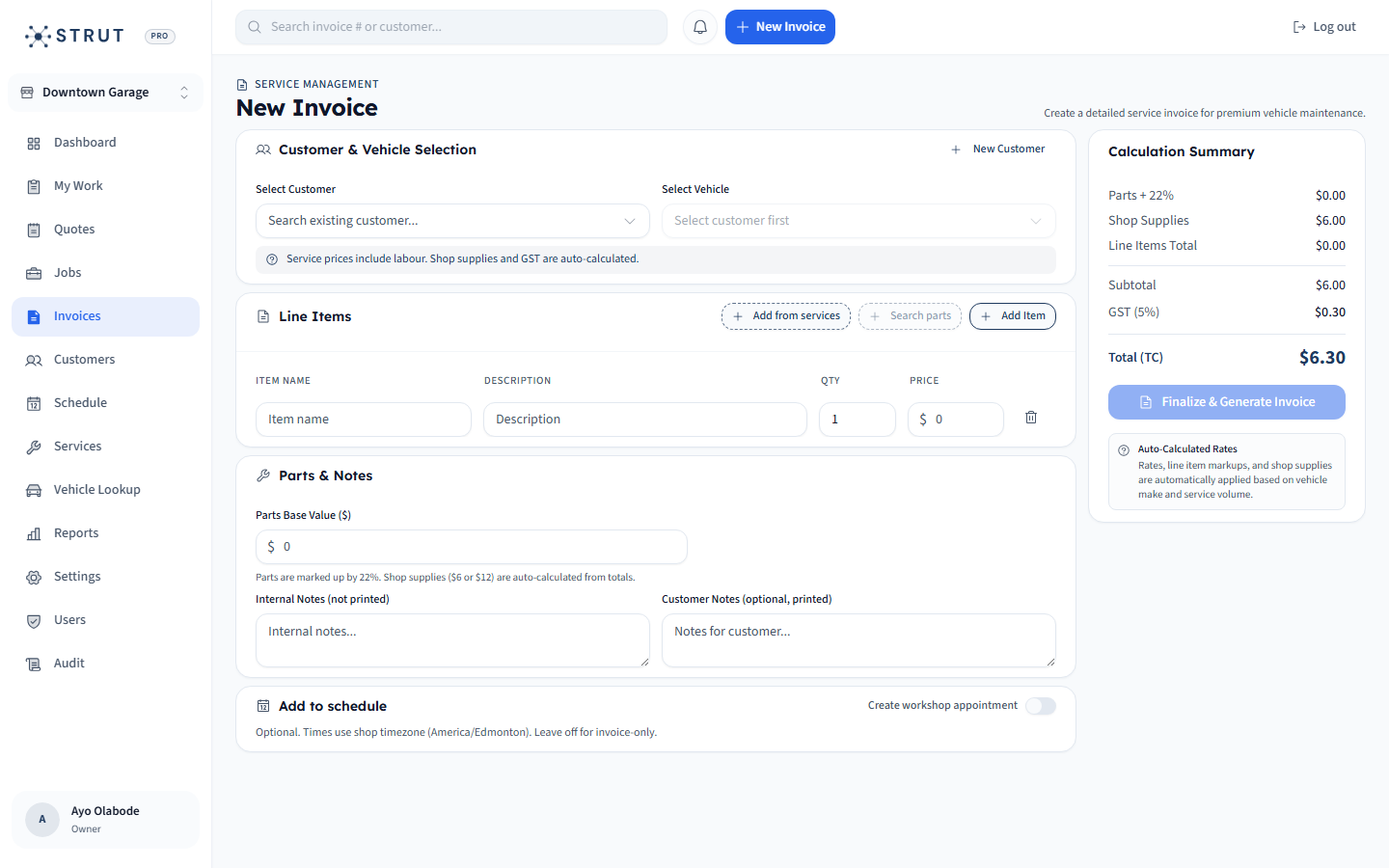
A repair invoice is the financial closeout of a vehicle visit, not a standalone document.
Who pays
Customer
What was serviced
Vehicle
What changed
Work
01 / Repair context
Generic invoicing software misses the job history
A normal invoice tool can send a bill, but it usually does not know which vehicle was serviced, what the advisor promised, whether parts were delayed, or what the customer paid last time. Repair shops need billing that carries operational context.
- Attach each invoice to a customer and vehicle record.
- Keep labor, parts, shop supplies, and tax language readable.
- Make unpaid invoices visible without opening a separate accounting workflow.
Invoice software comparison
Vehicle context
Generic invoice tool
Usually entered as notes
Repair-shop invoice workflow
Structured vehicle record tied to history
Repair detail
Generic invoice tool
Manual line items only
Repair-shop invoice workflow
Labor, parts, job notes, and service reason
Payment follow-up
Generic invoice tool
Often handled outside the invoice
Repair-shop invoice workflow
Paid status visible to the shop team
Repeat visits
Generic invoice tool
Customer only
Repair-shop invoice workflow
Customer plus vehicle service history
02 / Payment collection
Online payment links reduce manual follow-up
Stripe documents payment links as shareable payment pages that can be sent through channels like email, social media, or a website. For a repair shop, the useful part is operational: the customer can pay from the invoice message while the team tracks whether the invoice is still open.
- Use payment links on invoice emails when possible.
- Keep receipts and paid status tied to the invoice.
- Make payment follow-up a list, not a memory test.
A clean repair invoice handoff
Approve work
Before invoiceAdvisor confirms scope and final line items.
Send invoice
Customer actionCustomer receives a readable bill with payment path.
Track status
Shop actionFront desk sees open, paid, or needs follow-up.
Retain history
Next visitInvoice remains on the vehicle and customer record.
03 / Strut fit
Why Strut works for invoice-heavy front desks
Strut includes invoicing inside the full shop workflow, so the invoice is part of booking, repair orders, customer records, vehicle history, and online payment collection. That matters when the same person is answering phones, checking cars in, and closing invoices.
- Best fit for shops that want invoice and payment status visible without duplicate entry.
- Useful for shops replacing a generic invoice tool plus spreadsheet combination.
- Included in Strut's $40 CAD/month platform pricing.
Buying questions
Clear answers for shop owners.
Short answers to the questions shop owners usually ask before they book a walkthrough.
What features should auto repair invoicing software include?
It should include customer and vehicle records, labor and parts line items, tax-ready invoice details, PDF or print output, online payment links, paid/unpaid tracking, and service history.
Can generic invoicing software work for a repair shop?
It can work for basic billing, but many shops outgrow it because vehicle history, repair status, parts context, and payment follow-up remain disconnected.
Does Strut include online payments?
Yes. Strut supports online payment collection through Stripe-powered payment flows and keeps payment status visible in the shop workflow.
Sources reviewed
Research behind this guide
Map this to your shop