CRM guide
Auto Shop CRM: How to Track Customers, Vehicles, and Service History
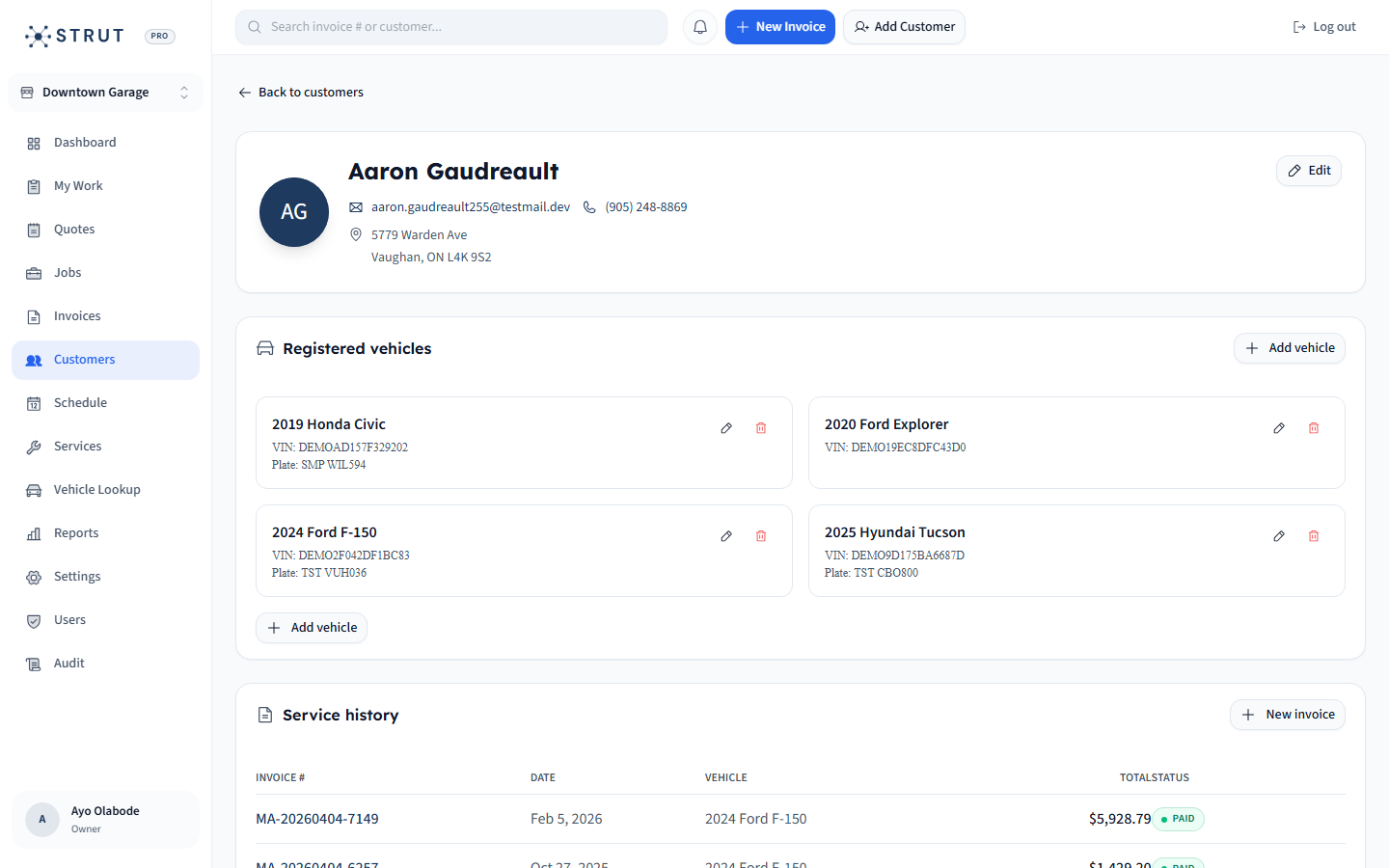
A useful auto shop CRM connects customers to vehicles, service history, appointments, invoices, and payment context.
- Guide topic
- auto shop CRM vehicle history
- Updated
- May 26, 2026
Customer and vehicle record map
The CRM should be organized around repeat visits, not just a mailing list.
Person
Customer
Asset
Vehicle
Memory
History
01 / Record design
Vehicle history is part of the customer relationship
Repair customers usually remember whether the shop remembered them. A CRM that only stores names and emails leaves the important context behind: which vehicle, what was done, what was deferred, and what the customer was promised.
- Tie service history to the vehicle, not just the customer.
- Keep invoices and payment state visible on the record.
- Make phone, VIN, plate, and customer name searchable.
Fields worth keeping clean
Identity
CustomerName, phone, email, company, preferred contact.
Vehicle
VehicleVIN, plate, mileage, year, make, model.
Service
HistoryComplaint, correction, recommendations, deferred work.
Money
InvoiceInvoice totals, paid status, payment method, open balance.
02 / Retention
Retention starts with a record the team can trust
The most useful follow-up is specific. 'Your brakes were noted for next visit' is stronger than a generic reminder. That requires service history, recommendations, and customer communication to live together.
- Use service history to make follow-up specific.
- Record deferred work in a place the front desk will see later.
- Keep communication preferences simple and visible.
Repeat-visit workflow
First visit
CaptureCreate customer and vehicle record from booking or intake.
Repair
ContextAttach job notes, recommendations, and invoice.
Payment
CloseMark invoice paid and preserve receipt trail.
Next visit
RetainAdvisor starts with vehicle history instead of a blank screen.
03 / Strut fit
Strut keeps CRM close to the work
Strut's CRM value is that it sits next to booking, jobs, invoices, payments, and vehicle records. That makes it more useful for front-desk decisions than a separate marketing database.
- Good fit for shops that want searchable customer and vehicle history.
- Useful when payment status and invoice history matter during customer calls.
- Designed for operational CRM first, not generic newsletter management.
Buying questions
Clear answers for shop owners.
Short answers to the questions shop owners usually ask before they book a walkthrough.
What is an auto shop CRM?
It is a customer management system for repair shops that stores customer contact details, vehicles, service history, invoices, appointments, and follow-up context.
Should vehicle history be separate from customer history?
Vehicle history should be attached to the customer record but structured per vehicle, because one customer may own multiple vehicles with different service histories.
What CRM fields should a repair shop track?
Track name, phone, email, preferred contact method, VIN, plate, year, make, model, mileage, service history, invoice status, payment history, and deferred recommendations.
Sources reviewed
Research behind this guide
Map this to your shop